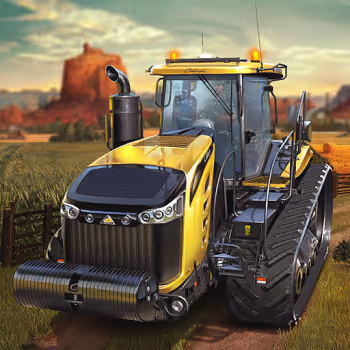
How to play Farming Simulator?
- Arrow: Movement
- E: Farming
- R: Drop
- G: Reset
- C: Change view
- V: Change vehicle
- Spacebar: Handbrake
- L: Lights
A relaxing experience as a farmer
One of the biggest attractions of Farming Simulator is its peaceful atmosphere. Instead of focusing on fast action or intense competition, the game gives you time to explore, drive, and complete farming tasks at your own pace.
The open environment creates a simple feeling of rural life. You can spend time driving across fields, operating agricultural vehicles, and organizing your work. This slower style of gameplay can be especially enjoyable after playing games that require constant attention and quick reactions.
Enjoy the countryside
The farm environment gives you plenty of space to explore. Fields, roads, vehicles, and open areas create a setting that feels different from traditional arcade games.
Driving a tractor across a large field can be surprisingly satisfying. The simple movement and repetitive farming activities create a comfortable gameplay loop that does not require complicated strategies.
Take your time
Farming is naturally a slow process, and the game reflects that idea. You do not need to complete every activity as quickly as possible. Instead, you can concentrate on completing each task correctly.
This relaxed pace makes Farming Simulator suitable for players who enjoy casual simulation experiences. The game allows you to focus on simple goals and gradually complete your work.
Enjoy vehicle-based gameplay
Vehicles are an important part of the experience. Rather than controlling a farmer on foot all the time, you spend much of your time operating farming machinery.
Learning how each vehicle moves and understanding when to switch between machines can make your farming routine more enjoyable. The vehicle controls also add a driving element to the simulation.
Players who enjoy management games with hands-on controls may also want to try Supermarket Simulator. Instead of operating a farm, you take responsibility for a store, organize products, serve customers, and gradually improve the business. The change from agricultural work to retail management provides a nice alternative while keeping the satisfying simulation style.
What tasks do you need to complete?
Farming Simulator is built around several activities that represent the everyday responsibilities of a virtual farmer. Your work involves preparing land, managing vehicles, handling farming equipment, and keeping the farm running smoothly.
Prepare the farmland
Taking care of the land is one of the main parts of farming. Before crops can grow, fields need to be prepared properly.
Drive your farming vehicle to the appropriate area and use the available farming actions. Paying attention to your position is important because a well-controlled vehicle makes fieldwork easier.
Good preparation creates a strong foundation for the rest of your farming activities.
Grow and manage crops
Growing crops is another important part of the farming experience. Your job is to work with the available farmland and complete the necessary agricultural activities.
The process can feel rewarding because you gradually see the results of your work. Instead of completing everything instantly, you follow a series of farming steps that make the simulation feel more realistic.
Operate farming vehicles
Vehicles are central to the gameplay. You need to drive them around the farm and position them correctly before starting different activities.
The Arrow keys provide basic movement, while C lets you change the camera view. Using the camera effectively can help you understand your position and avoid unnecessary driving mistakes.
The V key is also useful because it allows you to change vehicles when another machine is better suited to the task.
Move equipment around the farm
Farming equipment needs to be moved between different areas. You may need to drive across fields or travel along roads to reach another location.
Careful driving is helpful because large vehicles can require more space to turn and position. Use the camera to check your surroundings and adjust your vehicle before performing an action.
Drop equipment or objects
The R key allows you to drop items when necessary. Proper positioning is important because dropping something in the wrong place can make the next stage of your work less convenient.
Take a moment to line up your vehicle before using the command. This small habit can make farming tasks much smoother.
Reset your vehicle
You can get stuck during vehicle-based simulation games. Fortunately, the G key allows you to reset your vehicle.
This is particularly useful when your vehicle ends up in an awkward position, or you accidentally drive somewhere difficult to escape. Instead of spending too much time trying to recover, use the reset function and keep working.