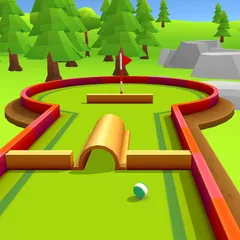
About Mini Putt 4
Mini Putt 4 is a browser‑based mini‑golf game that offers colorful courses and realistic ball physics. It is free to play and works on most devices without needing a download.
How to Play Mini Putt 4
To start a round, select a course and place your ball at the tee. Click and drag the mouse (or use touch) to set the direction of your shot. While dragging, a power meter appears; release the mouse button to strike the ball. The goal is to guide the ball into the hole using as few strokes as possible. Each course may contain obstacles, ramps, and water hazards that affect the ball’s path.
Objective
The objective is simple: sink the ball in the hole with the lowest number of strokes. Your score for each hole is added together, and the total determines your ranking on the leaderboard.
Controls
- Use the mouse to move the cursor away to create a directional effect.
- Left-click to perform the attack.
Mini Putt 4 Tips and Tricks
- Practice bank shots: bouncing the ball off walls can help you avoid obstacles.
- Aim for the sweet spot: hitting the ball slightly off‑center can add spin for better control.
- Control power carefully; a gentle tap is often more accurate than a hard strike.
- Observe the terrain: slopes and water affect ball speed, so adjust your aim accordingly.
Content generated by AI