Math Cross
Recommend For You
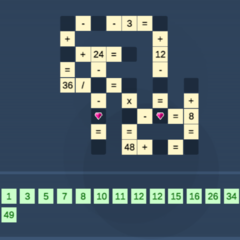
Math Cross immerses you in a super-intelligent puzzle-solving experience with fun matching puzzles. Use your calculations to overcome challenging problems.
Math Cross: Challenging puzzle problems
Explore challenging math problems with many exciting levels that will keep you hooked by the engaging and thought-provoking gameplay. Your task is to combine numbers to fill in the correct cells in various matrix formats, possibly using a cross-matching approach. Think and calculate in every way possible to solve the puzzles in the shortest time.
The game offers simple yet challenging gameplay; completing a level will reward you with points and unlock new, more difficult levels.
Quick calculation puzzle-solving strategies
Playing Math Cross requires not only mathematical knowledge but also strategies and tips to solve problems quickly, optimize scores, and easily advance through levels.
Arrange the numbers logically
- Observe the entire grid before filling in the numbers, identifying the easiest cells to fill first.
- Prioritize completing rows or columns with fewer empty cells to reduce errors.
- Use certain numbers first, avoiding guesswork that leads to mistakes.
Utilize quick calculation and logic tricks
- Remember common calculation results to avoid repetition.
- Use the elimination method when a cell has multiple possibilities, helping to determine the correct number faster.
- Focus on patterns that appear frequently in previous levels to improve speed.
Secrets to playing effectively
To play successfully depends on many factors, so don't be overconfident; always observe, think, and calculate to achieve your goal as quickly as possible.
Explore the features
- You will see a grid of empty cells along with numbers and mathematical operations.
- Basic function buttons such as "Clear", "Hint or Check" are usually clearly displayed on the screen.
Simple gameplay
- Tap or click on the empty cell where you want to fill in the number.
- Select a number from the list below or enter it directly using the keyboard.
- Use the "Delete" button to correct incorrectly filled cells.
- Hints will help you fill in the correct number if you have difficulty, but are usually limited in number of uses.
The gameplay offers exciting challenges; if done correctly, you can quickly and efficiently solve problems and improve your score at each level. Quickly explore this gameplay to conquer all the top-tier difficult problems.