Advertisement
ads

Bus Stop Jam

1 votes 5/5

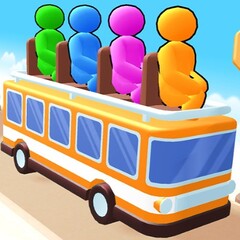
Arrange passengers onto the correct buses in Bus Stop Jam. Passengers are only allowed to board buses that match their color. There are limited seats available. Your allocation strategy determines how far you can go in this exciting strategy puzzle game.

How to play Bus Stop Jam online

Bus Stop Jam is quite simple to play; anyone can play it. Your task is to guide groups of 3 passengers who match the color of the bus parked in front of the stop. Passengers are distinguished by their colors and are mixed together. Help them get onto their correct bus.

  • Personal arrangement: You can only select passengers standing closest to the line or passengers in the middle row when the aisle next to them is clear. Selected passengers will move to the line to wait for their turn to board the bus.
  • Managing the number of waiting positions: There are only 7 waiting positions. Prioritize lining up passengers with the same color as the bus parked in front of the bus stop or the next bus. If the line is full and you haven't managed to get enough passengers onto the bus parked in front of the stop, the mission fails.
  • Boarding: Your task is simply to select passengers to board and stand in the line. Passengers with the same color as the bus will automatically board the bus of the same color without any further action from you.

Power-ups

There are 3 types of power-ups in Bus Stop Jam online free. Use them strategically whenever you encounter difficulties in coordinating passengers.

  • Undo: Returns the passenger you just pushed onto the line to their original position.
  • Hint: Suggests the next passenger you should choose. Use hints if the number of passengers is too large and the passengers you need to choose are standing in difficult-to-arrange positions.
  • Shuffle: This power-up allows you to rearrange the entire passenger seating arrangement. Make a new, more sensible choice.

Strategies to be a master in Bus Stop Jam

  • Control the number of waiting seats: Ensure the waiting seats are not full and passengers always get their bus on board as quickly as possible.
  • Create aisles: When there are too many passengers waiting, sometimes the customer you need to pick may be standing in the second or third position in the middle row. Or move the passengers in front of them or move the passengers in the outer row next to them to create a shortcut.
  • Observe the tunnel: In some levels, passengers will emerge from the tunnel. The number of passengers emerging from this passage will be displayed on the tunnel ceiling. Effectively manage the waiting area and passenger numbers to ensure your mission goes smoothly.

Simple, logical, and strategic. Play Bus Stop Jam free and challenge your passenger management skills!

Advertisement
ads
Bus Stop Jam
Advertisement
ads
l>tml>>dy>/html>dy>l>var canvas = document.querySelector("#unity-canvas"); var loadingBar = document.querySelector("#unity-loading-bar"); var progressBarFull = document.querySelector("#unity-progress-bar-full"); var buildUrl = "https://slope3.com/gamep/bus-stop-jam/Build"; var loaderUrl = buildUrl + "/bus-stop-jam.loader.js"; var config = { dataUrl: buildUrl + "/bus-stop-jam.data", frameworkUrl: buildUrl + "/bus-stop-jam.framework.js", codeUrl: buildUrl + "/bus-stop-jam.wasm", streamingAssetsUrl: window.originalFolder + '/StreamingAssets', companyName: "GreenLight", productName: "Bus Stop Jam", productVersion: "1.0.1", }; loadingBar.style.display = 'block'; const div_btn = document.querySelector("#div_btn"); var script = document.createElement("script"); script.src = loaderUrl; script.onload = () => { createUnityInstance(canvas, config, (progress) => { progressBarFull.style.width = 100 * progress + '%'; }) .then((unityInstance) => { div_btn.style.display = 'block'; }) .catch((message) => { alert(message); }); }; document.body.appendChild(script); l>tml>>dy>/html>dy>l>>body>l>/html>dy>dy>