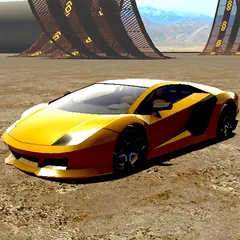
About Madalin Cars Multiplayer
Madalin Cars Multiplayer is a browser‑based racing experience that lets players join massive open‑world maps and drive a variety of high‑performance cars. The game runs directly in a web browser, requires no download, and supports multiplayer sessions with friends or strangers from around the globe.
How to Play Madalin Cars Multiplayer
After loading the game, choose a car from the garage, then enter a map. Use the keyboard or controller to accelerate, steer, and perform stunts while navigating traffic and obstacles. You can race against other players, explore the environment, or simply enjoy free‑roam driving. The game rewards skillful driving with points that unlock new vehicles and customizations.
Objective
The main goal is to enjoy high‑speed driving while improving your lap times, performing drifts, and completing challenges. In race modes, finishing ahead of opponents earns you rankings and in‑game currency.
Controls
- Move: Arrow Keys
- Brake: Spacebar
Madalin Cars Multiplayer Tips and Tricks
- Master the handbrake while turning to execute smooth drifts and maintain speed around corners.
- Use nitro boost on straight sections after a drift to maximize acceleration without losing control.
- Choose a car that matches your driving style; lighter cars are easier to handle, while heavier cars have higher top speeds.
- Watch other players to learn shortcuts and optimal racing lines on each map.
Content generated by AI