Retro Bowl

.png)
.png)

.png)


.png)
.jpg)
.jpg)
.png)

.png)
.png)
.png)


.jpg)
.png)

.jpg)

.png)
.jpg)
.png)

.png)


.jpg)



.jpg)
.png)

.png)

.jpg)
.jpg)
.jpg)
.jpg)
.jpg)
.jpg)
.jpg)


.png)
.jpg)
.jpg)

.png)



.png)


.png)



.png)


.jpg)


.png)




Retro Bowl brings classic pixel football to life with smart plays, team management, and fast matches in one addictive sports game experience.
Scoring Points in Retro Bowl: A Complete Guide
Retro Bowl brings classic pixel football to life with smart plays, fast matches, and team management, all in one addictive sports game. It’s easy to pick up, fun for all ages, and perfect for playing on Online Games Free.
Retro Bowl has five ways to score:
-
Touchdown (6 points): Carry or catch the ball in the opponent’s end zone.
-
Field Goal (3 points): Kick the ball from your free kick range.
-
Extra Point (1 point): Add a point after scoring a touchdown.
-
Two-Point Conversion (2 points): An alternative to the extra point after a touchdown.
-
Safety (2 points): Score when your defense stops the opponent in their own end zone.
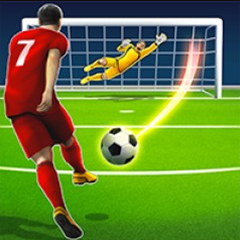
These points are called coaching credits. The more you score, the faster you can upgrade your team and facilities. Just like in Penalty Kick Online, timing and accuracy matter for scoring!
Game Controls
You can play Retro Bowl on mobile, PC, or with a controller.
General Controls
-
Move players: Tap or swipe to move.
-
Run & Pass: Swipe up/down to run, tap the green circle to pass.
-
Defense: Mostly automatic, focus on building a strong offense.
Controls are smooth and natural, so anyone can enjoy the game easily.
Offensive Actions
Ball-Carrying Actions
-
Running: Swipe up/down to dodge opponents.
-
Passing: Aim at a teammate and tap the green circle.
-
Handoff: Tap the running back.
-
Run with QB: Drag or hold to move.
-
Juke/Dodge: Swipe up/down to avoid defenders.
-
Dive: Swipe forward.
-
Hesitate/Stop: Swipe backward briefly.
-
Field Goal / Extra Point: Stop the timing bar accurately to score points.
Defensive Actions
-
Retro Bowl mostly controls defense automatically. Focus on upgrading your team and planning smart plays.
PC Controls
Mouse: Move the cursor to aim, click to select a player.
Keyboard:
-
W/S: Dodge up/down
-
A/D: Shift left or right across the field
-
R: Run with QB
-
L: Switch to passing mode
Controller: Easily dodge, dive, or pause for more realistic gameplay.
Playing on a large PC screen with good graphics makes Retro Bowl even more exciting.
Explore the Main Menu
The Main Menu is your hub for managing your team, tracking progress, and customizing the game.
Front Office
-
Upgrade facilities and staff to strengthen your team.
-
Hire a head coach and up to two assistants for training and special tasks.
Roster
-
Check player stats to make smart strategies.
-
Click a player’s card for detailed info.
-
The condition bar uses colors to show how ready each player is.
Team Achievements
-
Track championship wins, record-breaking players, and legendary teams.
-
Player morale levels: Toxic -> Bad -> Poor -> OK -> Good -> Great -> Exceptional.
-
Boost morale to improve performance during matches.
Other Settings
-
Design your own team’s outfit, logo, and team name.
-
Adjust the weather and wind, which can affect passing and kicking.
-
Set your preferred difficulty level for fun challenges.
Play Retro Bowl now on https://onlinegamesfree.io for endless fun, fast matches, and classic football action!